BPExch Wallet Withdrawal Form: Submit & Track Requests
BPExch Wallet withdrawal form is the part of the logged-in wallet dashboard used to enter a withdrawal amount and the payout details requested for your account. Before submitting, check every field carefully because incorrect account information can delay review or lead to a rejected request.
This article focuses only on the withdrawal form itself: where to find it, what to check before submitting, how the main fields work, what happens after submission, and when to contact support. For the complete end-to-end withdrawal process, use the BPExch Wallet withdrawal guide.
Quick links: Full withdrawal guide | Login guide | Contact support
Quick Answer: How Does the BPExch Wallet Withdrawal Form Work?
The BPExch Wallet withdrawal form is completed from your logged-in dashboard. Open the withdrawal section, choose the payout option currently available to your account, enter the requested payout information and withdrawal amount, review everything, then submit the request. After submission, use the dashboard and notification area to follow any pending, processing, approved, rejected, or support-related update.
Do not submit a second request just because the first one is still being reviewed. Check the current status first and follow any instruction shown in your account.
Where to Find the BPExch Wallet Withdrawal Form
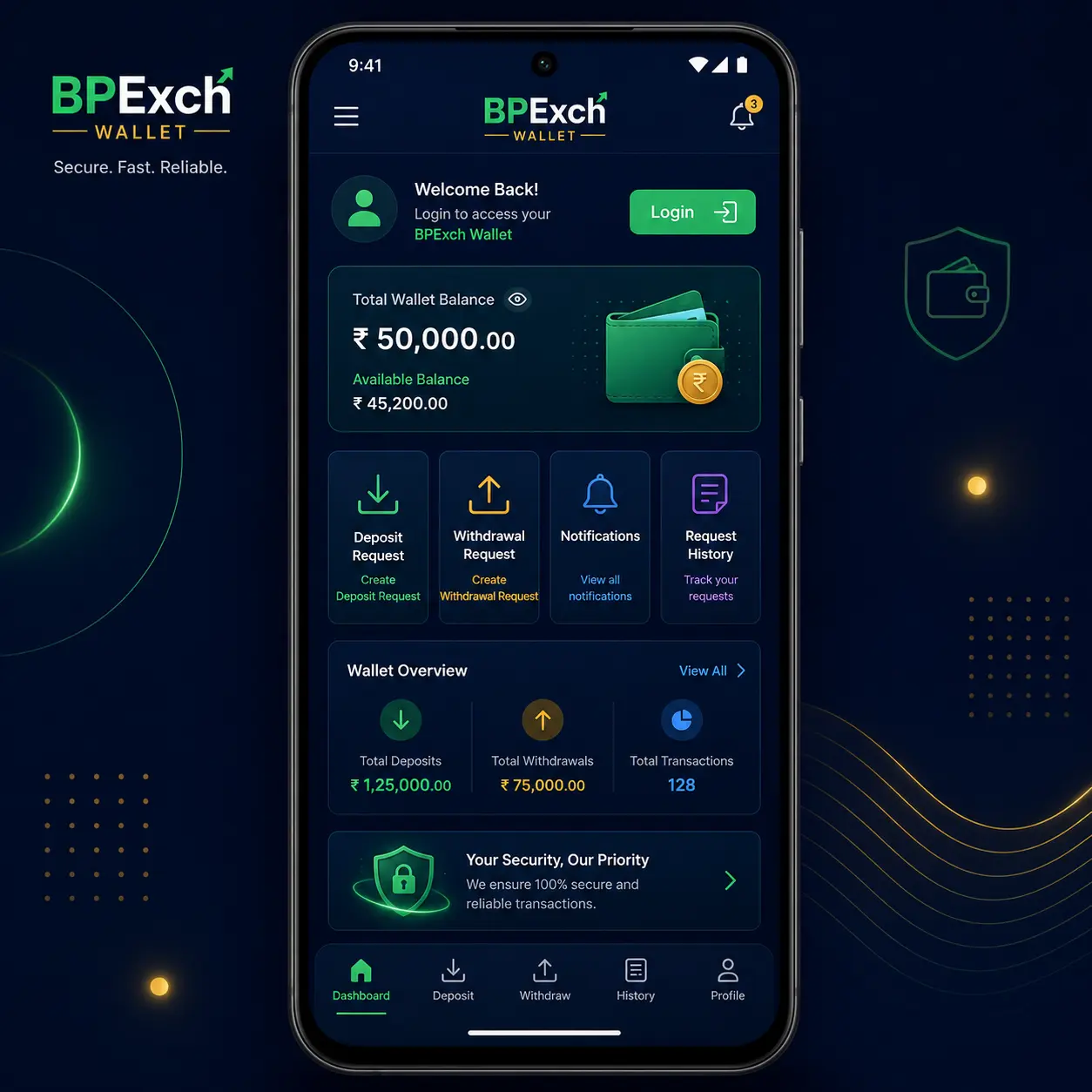
The withdrawal form should be accessed from your own logged-in BPExch Wallet account. If you are having trouble reaching the dashboard, use the BPExch Wallet login guide rather than entering account details on an unfamiliar page.
- Open the BPExch Wallet website or the access method you normally use.
- Login to your registered account.
- Open the withdrawal section from the dashboard.
- Review the payout option or options displayed for your account.
- Open the withdrawal request form and check the required fields before typing anything.
The exact fields shown can depend on the payout option available in the dashboard. Use the labels shown in your own account as the final reference.
What to Check Before Filling the Withdrawal Form
A withdrawal form is easier to complete when you prepare the information first. The most important check is that the payout details belong to the account or wallet you actually intend to receive the payment through.
- Account access: make sure you are logged in to your own BPExch Wallet account.
- Payout option: use an option currently displayed in the dashboard rather than relying on old screenshots or forwarded instructions.
- Account holder information: enter the name or identifying information requested by the form exactly as required.
- Account or wallet number: check every digit before submission.
- Withdrawal amount: enter an amount that meets the current rules shown in your dashboard.
- Existing request: check whether a previous withdrawal is still pending or processing before creating another one.
If the dashboard displays a minimum withdrawal amount or another account-specific rule, follow the current value shown there. This article does not assume that a fixed limit will remain the same permanently.
BPExch Wallet Withdrawal Form Fields Explained
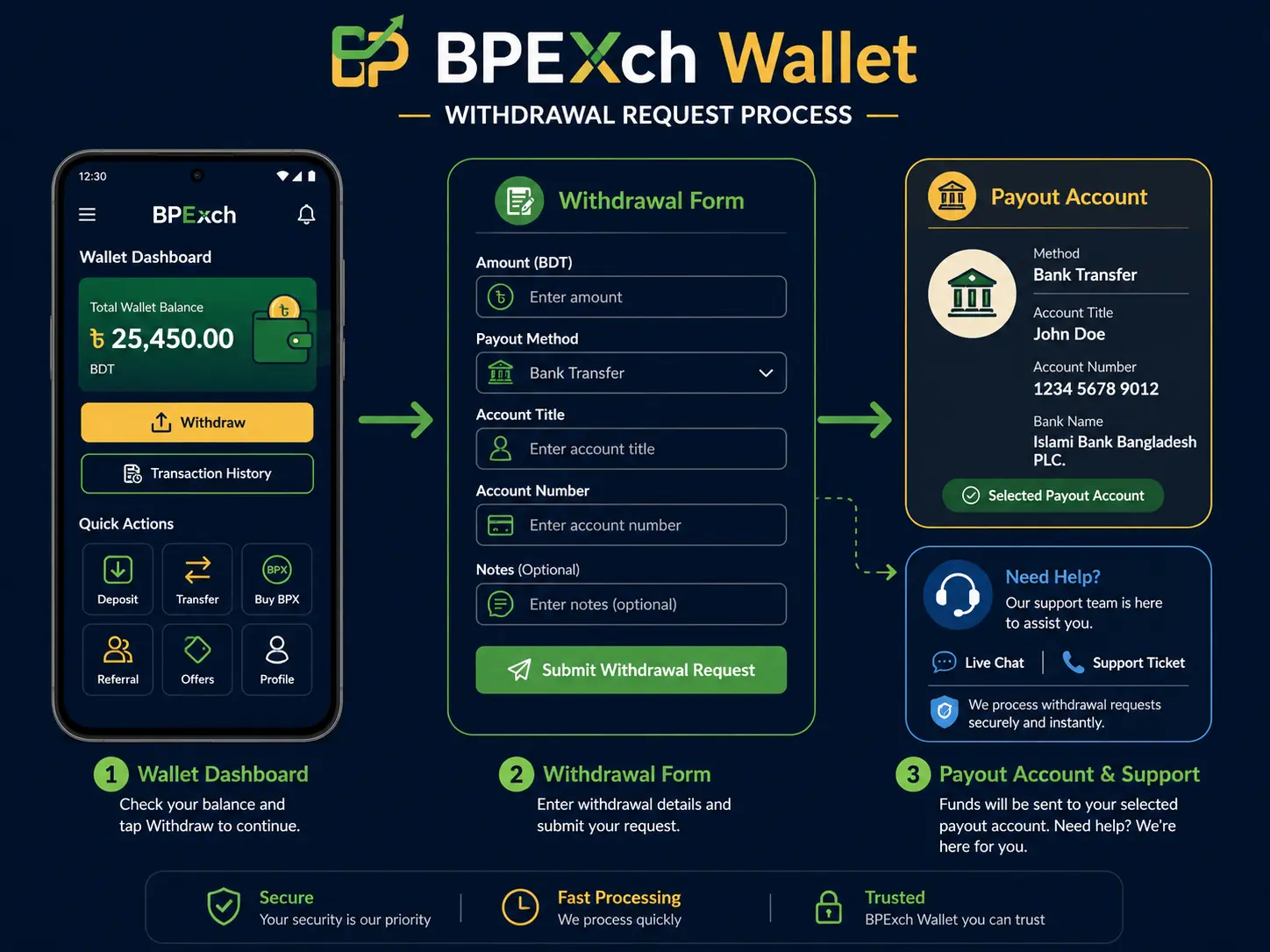
The purpose of the form is to give the wallet the information needed to review and route your withdrawal request. The exact labels can change, but the following field types are the most important ones to understand.
Withdrawal Amount
Enter the amount you want to request. Before submitting, check whether the dashboard shows a minimum, maximum, balance restriction, or another instruction. Avoid guessing a value from an old guide if the current account screen shows something different.
Payout Method
Select the payout method currently available to your account. Do not assume that every method is available to every user or at every time. If the expected option is missing, check the dashboard again or contact support instead of entering unrelated information in another field.
Account Holder Name
If the form asks for an account title or holder name, enter the information carefully and use the format requested. A spelling difference or incomplete name can create an avoidable review problem.
Account, Wallet, or Phone Number
This is one of the most important fields to verify. Check the full number before submission. A wrong digit can cause a delay, rejection, or a support case that could have been avoided.
Other Requested Information
Some payout methods may require another identifier or confirmation field. Only provide information requested by the form or official support flow. Never share your account password, OTP, PIN, or other private credentials with an unknown person.
How to Submit the BPExch Wallet Withdrawal Form
Once the fields are complete, review the form before pressing the final submit button. This review step matters because most form problems come from simple data-entry mistakes rather than the withdrawal process itself.
- Confirm the withdrawal amount.
- Check the selected payout method.
- Re-read the account holder or account title field.
- Check the complete account, wallet, or phone number.
- Review any additional field shown by the dashboard.
- Submit the withdrawal request once.
- Wait for the dashboard to confirm that the request was received.
After submission, do not repeatedly press the button or create duplicate requests. If the form appears to fail, first check whether a request has already been created in your account.
Bpexch Withdrawal Kaise Kare?
Agar aap bpexch withdrawal kaise kare search kar rahe hain, basic process yeh hai: apne BPExch Wallet account mein login karein, Withdrawal section open karein, available payout method select karein, amount aur required payout details carefully enter karein, phir form review karke submit karein.
Request submit hone ke baad dashboard mein status check karein. Agar request pending ya processing ho, duplicate withdrawal submit na karein. Agar form field samajh na aaye ya dashboard support ka message show kare, official contact page use karein.
What Happens After You Submit the Form?
Submitting the form creates a withdrawal request for review. The form itself is only the submission step; approval is a separate stage. Your dashboard or notification area may show a status change as the request moves through review.
The dedicated BPExch Wallet withdrawal guide covers the broader withdrawal process. On this page, the important point is to understand what the form status means after you press submit.
Pending
Pending usually means the request has been submitted and is waiting for the next review step. Check that the request appears in your account before attempting another submission.
Processing
Processing indicates that the request is being handled or checked. Continue monitoring the account rather than creating another withdrawal for the same purpose.
Approved
An approved status means the request has passed the approval stage shown by the system. Follow any further account message or payout update displayed in the dashboard.
Rejected
A rejected request should be reviewed before you try again. Read the reason or instruction shown in the dashboard or notification area. If the issue is related to payout information, correct the specific field rather than changing unrelated account details.
Common BPExch Wallet Withdrawal Form Mistakes
Many withdrawal problems can be avoided before the form is submitted. The most useful checks are simple and take less than a minute.
- Wrong account number: recheck every digit before submitting.
- Incorrect account holder name: use the information requested by the selected payout method.
- Wrong payout option: choose from the options currently displayed in the dashboard.
- Duplicate request: do not submit another withdrawal while the first is still pending or processing.
- Outdated instructions: prefer current dashboard instructions over old screenshots or forwarded messages.
- Sharing private credentials: do not give your password, OTP, or PIN to unknown contacts.
If a field is unclear, do not guess. Use the BPExch Wallet support page and describe the field or status you are seeing without sharing private login credentials.
BPExch Wallet Withdrawal Amount and Limits
The withdrawal form may show account or platform rules that affect the amount you can submit. Because those rules can change, the value currently displayed in your dashboard should take priority over an older article or screenshot.
If the form rejects the amount before submission, check the message shown on the page. It may indicate that the amount does not meet the current requirement, that the available balance is insufficient, or that another account condition needs attention.
For current process guidance, use the main withdrawal guide. For an account-specific amount or form error that is not explained in the dashboard, contact support.
Do You Need the Android APK to Use the Withdrawal Form?
The withdrawal request is tied to your logged-in account rather than to this blog article. If you use Android and need app-access guidance, review the BPExch Wallet APK download guide. If you already have working account access, use the dashboard route available to you.
This article does not act as an APK download page and does not provide third-party installation files. That keeps the withdrawal form topic separate from app-download intent.
When Should You Contact BPExch Wallet Support?
Contact support when the problem cannot be resolved by correcting an obvious form field or checking the request status. Useful examples include an unavailable payout option, a form error that continues after rechecking the information, a rejection message you do not understand, or a dashboard instruction specifically asking you to contact support.
Before contacting support, note the request status and the type of field causing the problem. Do not send your password, OTP, or PIN. Use the official BPExch Wallet contact page rather than an unverified number or social-media account.
Related BPExch Wallet Account Guides
This article intentionally does not repeat full signup, login, APK, or deposit instructions. Use the dedicated pages for those tasks:
- BPExch Wallet sign up guide — for creating an account.
- BPExch Wallet login guide — for reaching your dashboard.
- BPExch Wallet APK guide — for Android app-access guidance.
- BPExch Wallet deposit guide — for deposit-request instructions.
- BPExch Wallet withdrawal guide — for the complete withdrawal workflow.
Safety and Responsible Use
Always check payout information before submitting a transaction-related request. Use your own account details, keep login credentials private, and avoid instructions from unknown people or unofficial download sources.
Use the platform responsibly and avoid using money you cannot afford to lose. You can review the site’s Responsible Gaming information for additional guidance.
Frequently Asked Questions
Where is the BPExch Wallet withdrawal form?
Login to your BPExch Wallet account and open the withdrawal section from the dashboard. The form should show the payout information and amount fields required for the option available to your account.
What information should I check before submitting?
Check the withdrawal amount, selected payout method, account holder information, and the full account, wallet, or phone number requested by the form. Follow any additional instruction displayed in the dashboard.
What should I do if my withdrawal form is rejected?
Read the rejection reason or dashboard instruction first. Correct the specific information requested and contact official support if the message is unclear. Avoid submitting repeated requests without understanding the reason.
Can I submit another form while one is pending?
Avoid duplicate withdrawal requests while an existing request is pending or processing. Check the dashboard and notification area before submitting another request.
What is bpexch withdrawal kaise kare?
Login to your wallet dashboard, open Withdrawal, choose the available payout method, enter the amount and requested payout details, review the form, and submit it. Then track the request status from your account.
Where can I get help with a withdrawal form field?
Use the official contact page if you do not understand a required field or if the dashboard asks you to contact support. Never share your password, OTP, or PIN.
Conclusion
The BPExch Wallet withdrawal form should be treated as a data-checking step, not just a submit button. Enter the current payout information requested by your dashboard, verify the amount and account details, submit the request once, then follow the status from your account.
For the broader withdrawal process, use the BPExch Wallet withdrawal guide. If a form field, status message, or rejection reason is unclear, use the official support page rather than guessing.
Login to your account | Read the full withdrawal guide | Contact Support