BPExch Wallet Pakistan
Sign up, login, download the BPExch Wallet APK, follow official guides, submit deposit and withdrawal requests, receive push and in-app notifications, and manage BetPro ID support from one wallet portal for Pakistan users.
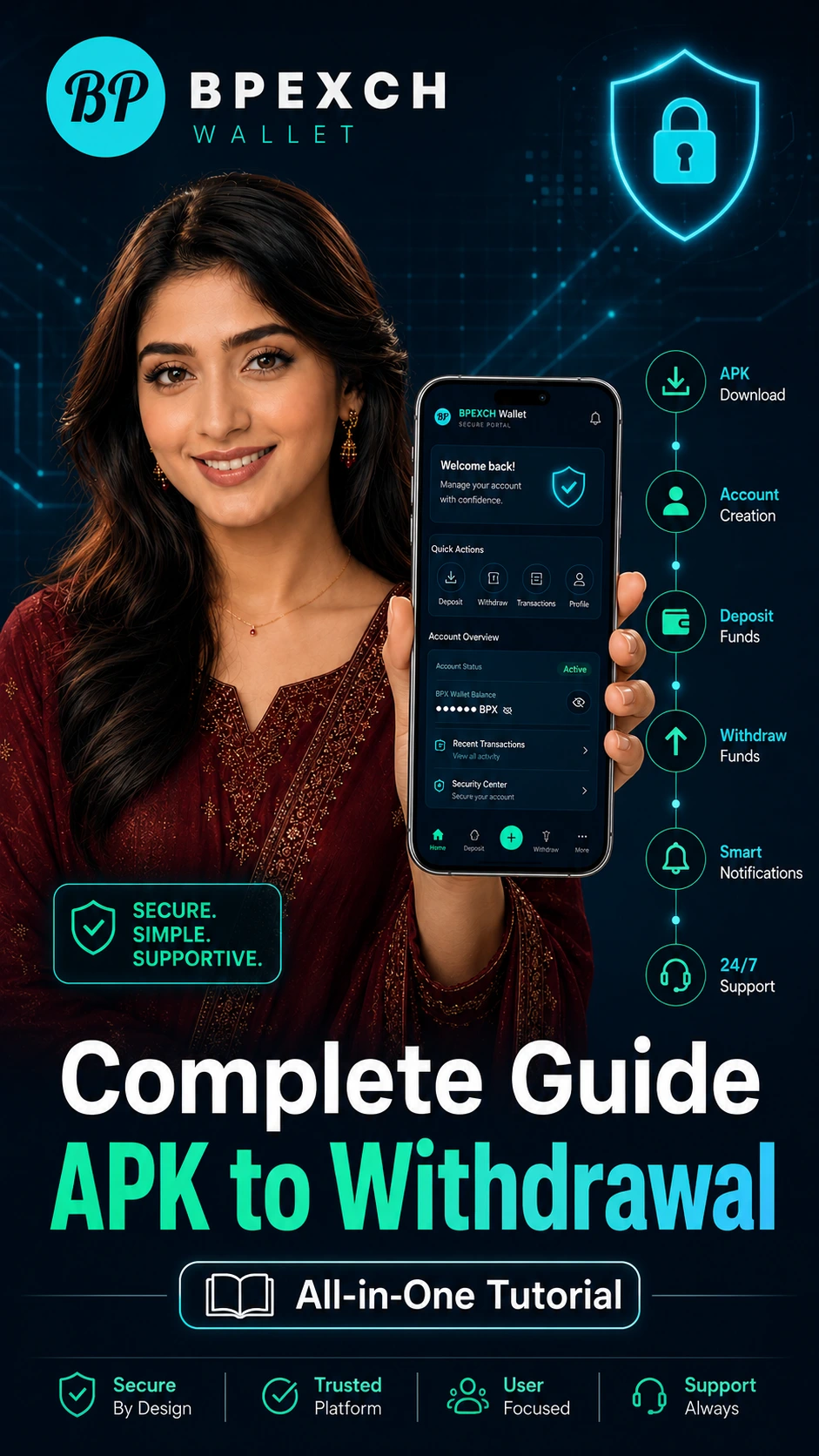

What is BPExch Wallet Pakistan?
BPExch Wallet, also searched for as BPExchange Wallet by some users, is an online wallet and account support portal for users in Pakistan. It helps users submit deposit requests, request withdrawals, manage BetPro ID details, track transaction status, and receive account notifications in one place.
Deposit Request Management
Submit deposit requests and upload payment proof directly from your dashboard.
Withdrawal Request Management
Send withdrawal requests and track your status from your wallet account.
BetPro ID & Password Support
Receive BetPro ID support after approval and request password reset when needed.
Real-Time Notifications
Get account updates for deposits, withdrawals, and support requests.
Watch the Complete BPExchange Wallet Guide
Learn APK download, account creation, login, deposit request, withdrawal request, notifications, password support and 24/7 WhatsApp Support in one complete video. This guide is designed for users who want to understand the full app flow before starting.
How to Use BPExch Wallet
Create your account, submit requests, receive account support, and track your transaction updates from your dashboard.
Create Your Account
Register with your name, email, and phone number to access your secure wallet dashboard.
Submit Deposit Request
Choose your payment method, enter your amount, and upload your payment proof.
Receive BetPro ID Support
After first deposit approval, your BetPro ID and password can be assigned.
Track Withdrawals & Updates
Submit withdrawal requests and receive confirmation notifications once processed.
BPExchange Wallet Guides for APK, Login, Deposit and Withdrawal
Use these official guide pages to understand each important step before using the app or dashboard. They also help users find the correct support page instead of depending on random links or copied APK files.
Start with the right guide
New users should begin with APK download, sign up, and login guides. Existing users can jump directly to deposit, withdrawal, notification, password reset, or BetPro account support guides.
APK Download Guide
Learn how to download and install the official BPExch Wallet Android APK safely.
Sign Up Guide
Understand account creation, correct details, phone safety, and the first setup flow.
Login Guide
Use the official login page, access the dashboard, and request password support safely.
Deposit Guide
Follow deposit request steps, payment proof upload, status tracking, and notifications.
Withdrawal Guide
Learn withdrawal request details, payout information, processing status, and alerts.
Tutorials
Open the tutorial hub for visual app walkthroughs and step-by-step user guidance.
BPExch Wallet Deposit & Withdrawal Process
Submit deposit and withdrawal requests from your account dashboard with clear tracking and professional support.
Deposit Requests
Submit deposit requests through your wallet dashboard. Select your payment method, enter your amount, upload payment proof, and track the request status from your account.
- Minimum deposit: PKR 500
- Payment proof upload
- Status tracking
- Notification after approval
Withdrawal Requests
Request withdrawals from your account dashboard. Add your preferred account details, submit your request, and receive a confirmation notification once processed.
- Minimum withdrawal: PKR 500
- Saved account details
- Status tracking
- Confirmation notifications
BPExch Wallet Payment Methods in Pakistan
BPExch Wallet supports commonly used payment methods in Pakistan for deposit and withdrawal request management. Available methods may vary based on account status and admin approval.
 JazzCash
 Easypaisa
 SadaPay
 NayaPay
 Bank Transfer
BetPro ID & Password Support
After your first approved deposit, your BetPro ID and password can be assigned through the wallet portal. You can also request a BetPro password reset directly from your dashboard when needed. For ID-specific help, see the BetPro ID guide. For account access or status help, use the BetPro Account guide.
BetPro ID Assignment
Receive your assigned ID after first deposit approval.
Password Reset Request
Request password reset directly from your wallet dashboard.
Account Status Updates
Stay updated with your latest account request status.
Dashboard Access
Access your account information from the wallet portal.
BPExch Wallet
BPExch Wallet APK Download for Android
Use the BPExch Wallet Android app for a smoother mobile experience. Download the APK and access your wallet portal directly from your Android device.
Why Choose BPExch Wallet Pakistan?
BPExch Wallet keeps your request management clear, simple, and easy to track from one secure dashboard.
BPExch Wallet FAQs
Find answers about BPExch Wallet account access, deposit requests, withdrawals, APK download, and BetPro ID support.
What is BPExch Wallet?
BPExch Wallet is an online wallet and account support portal for users in Pakistan. It helps users sign up, login, manage deposit requests, submit withdrawal requests, access BetPro ID support, and track transactions.
How do I sign up for BPExch Wallet?
You can sign up for BPExch Wallet by opening the registration page, entering your required details, and creating your secure wallet account online.
How do I login to BPExch Wallet?
You can login to BPExch Wallet from the official login page using your registered account details. Android users can also access the login page from the BPExch Wallet app.
How can I download BPExch Wallet APK?
You can download the BPExch Wallet APK for Android from the official download section on bpexchwallet.pk. Always install only from the official website or approved support source.
What is the minimum deposit amount?
The minimum deposit amount is PKR 500.
What is the BPExch Wallet withdrawal limit?
The minimum withdrawal amount is PKR 500. Final withdrawal availability may depend on account status, submitted details, and approval process.
How do I submit a deposit request?
Login to your account, choose a payment method, enter the amount, upload your payment proof, and submit your request.
How do I submit a withdrawal request?
Login to your account, enter your withdrawal details, choose your preferred method, and submit your request from the dashboard.
Where can I contact the BPExch helpline in Pakistan?
Users can contact BPExch Wallet support through the official WhatsApp support link available on the website.
Can I reset my BetPro password?
Yes. Active users can request a BetPro password reset from their BPExch Wallet dashboard.
Does BPExch Wallet send notifications?
Yes. The app can send push notifications and in-app notifications for request submission, processing, approval, rejection, password support, and important account updates.
Does BPExch Wallet have an Android app?
Yes. BPExch Wallet provides an Android APK for users who prefer app access.
Is BPExch Wallet available for iOS?
At this time, BPExch Wallet APK is for Android users. iPhone users can access BPExch Wallet from the official website in their browser.
Start Managing Your BPExch Wallet Account Today
Create your account, submit deposit and withdrawal requests, track your transaction status, and manage BetPro ID support from one secure portal.