BPExch Wallet Fake App: Essential Login Link Safety Guide
TL;DR
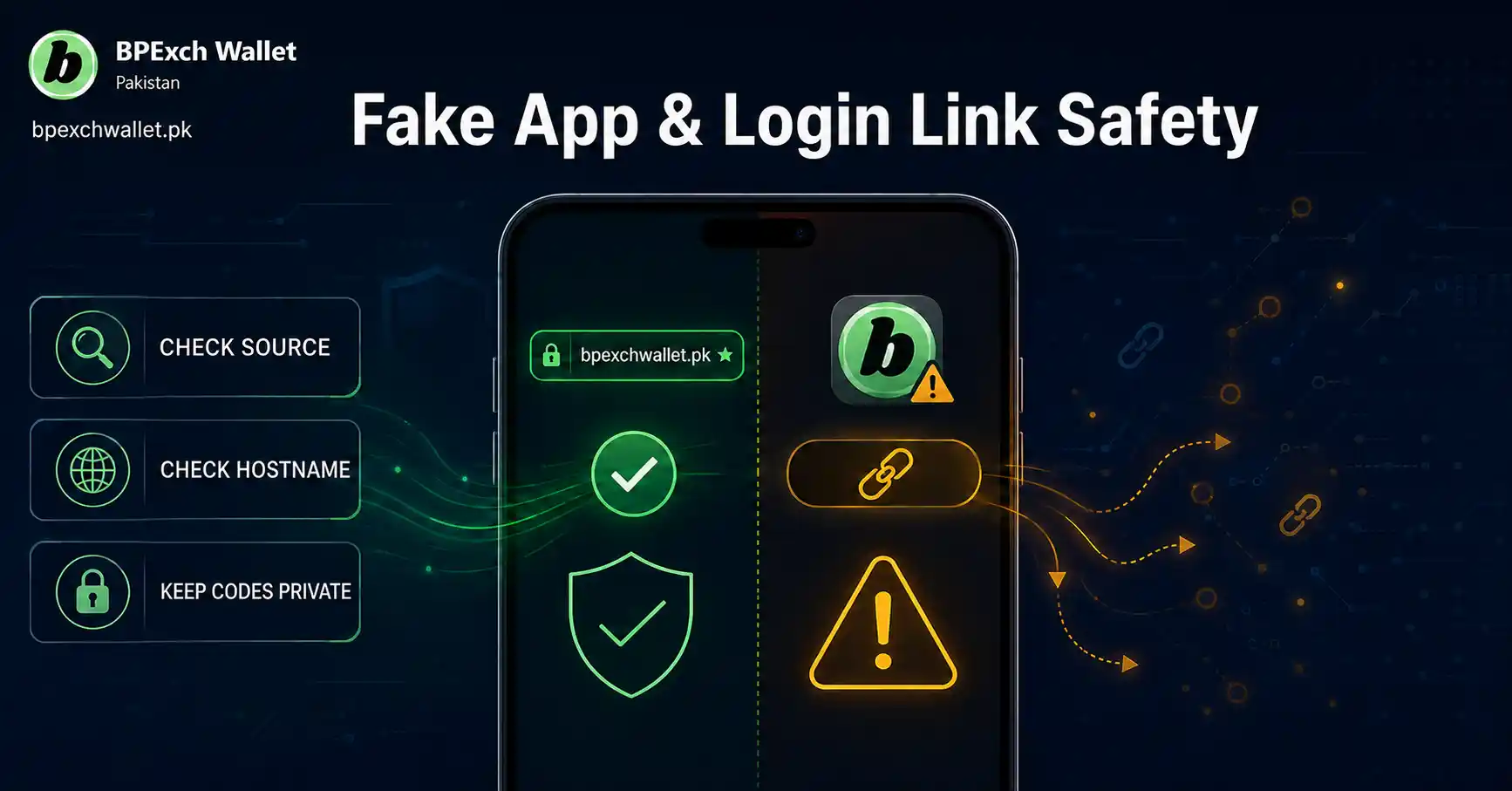
A fake BPExch Wallet app or login link can look convincing even when the page, file, sender, or download source is wrong. The safest approach is to slow down before entering credentials, compare the address with the route you already use, avoid files forwarded through unknown chats or groups, keep Google Play Protect enabled on Android, and never share passwords, OTPs, PINs, or reset codes with someone claiming to help. If a page asks for unusual information, redirects through unfamiliar domains, pressures you to act immediately, or offers an APK from a source you did not expect, stop and verify the route before continuing.
This guide is intentionally narrow. It does not replace the main BPExch App guide, the BPExch Wallet login guide, or the detailed APK download guide. Instead, it gives Pakistan users a practical checklist for spotting risky app and login-link situations before they become account problems.
Context
Why fake apps and login links deserve their own checklist
Users often remember a brand name more easily than an exact route. That creates a simple problem: a search result, forwarded message, social post, browser pop-up, or chat link can look related to BPExch Wallet without actually being the page a user intended to open. The same problem applies to Android files. A filename can contain familiar words while the source, signer, permissions, or behavior does not match what the user expected.
Pakistan’s National CERT has warned about phishing techniques that use deceptive links, urgency, spoofed identities, and counterfeit pages to collect credentials or push harmful downloads. It has also documented “evil twin” Android campaigns in which malicious apps imitate legitimate-looking apps and deliver additional harmful components. Those advisories are not about BPExch Wallet specifically, but they show why brand recognition alone is not enough when checking a login page or app file.
Google gives similar general Android guidance. Google Play Protect checks installed apps and apps from other sources for harmful behavior, warns about potentially harmful apps, and may block or remove some threats. Google also warns that apps downloaded from unknown sources can put device data and personal information at risk. Those protections are useful, but they do not remove the need for the user to check the route, context, and permissions before installing or signing in.
What this article owns and what it does not
The focus of this post is BPExch Wallet fake app safety and login-link verification. It answers questions such as: “Does this link look right?”, “Should I trust this forwarded APK?”, “What should I check before entering my password?”, “What should I do if the page suddenly asks for an OTP or PIN?”, and “How can I reduce risk before opening a BPExch-related link?”
It does not try to own broad app intent. If you need general app information, use the BPExch App page. It does not try to own normal login instructions; use the BPExch Wallet login guide for that. It also does not repeat APK installation steps; use the BPExch Wallet APK download guide when the task is specifically Android download or installation.
This separation matters for readers and for search. A safety article should help you recognize warning signs and choose the correct next step. It should not become a second app page, second login page, or second APK page.
The most important distinction: familiar branding is not verification
A logo, brand name, matching color scheme, or familiar button label can be copied. So can a page title. A fake or misleading page can also use a domain name that looks close to the one you expect, especially when viewed quickly on a small mobile screen.
Verification therefore needs more than appearance. You should check the address bar, the path you used to reach the page, whether the page behavior matches your normal route, whether the browser warns about the connection, and whether the page asks for information that should remain private. If you arrived through a forwarded message, treat that as a separate risk signal rather than proof that the link is genuine.
The same principle applies to app files. An APK name, icon, or version label is not enough to prove that the file came from the source you intended. The source of the file, Android’s warnings, requested permissions, and post-install behavior all matter.
What Works
BPExch Wallet fake app checks that work before installation
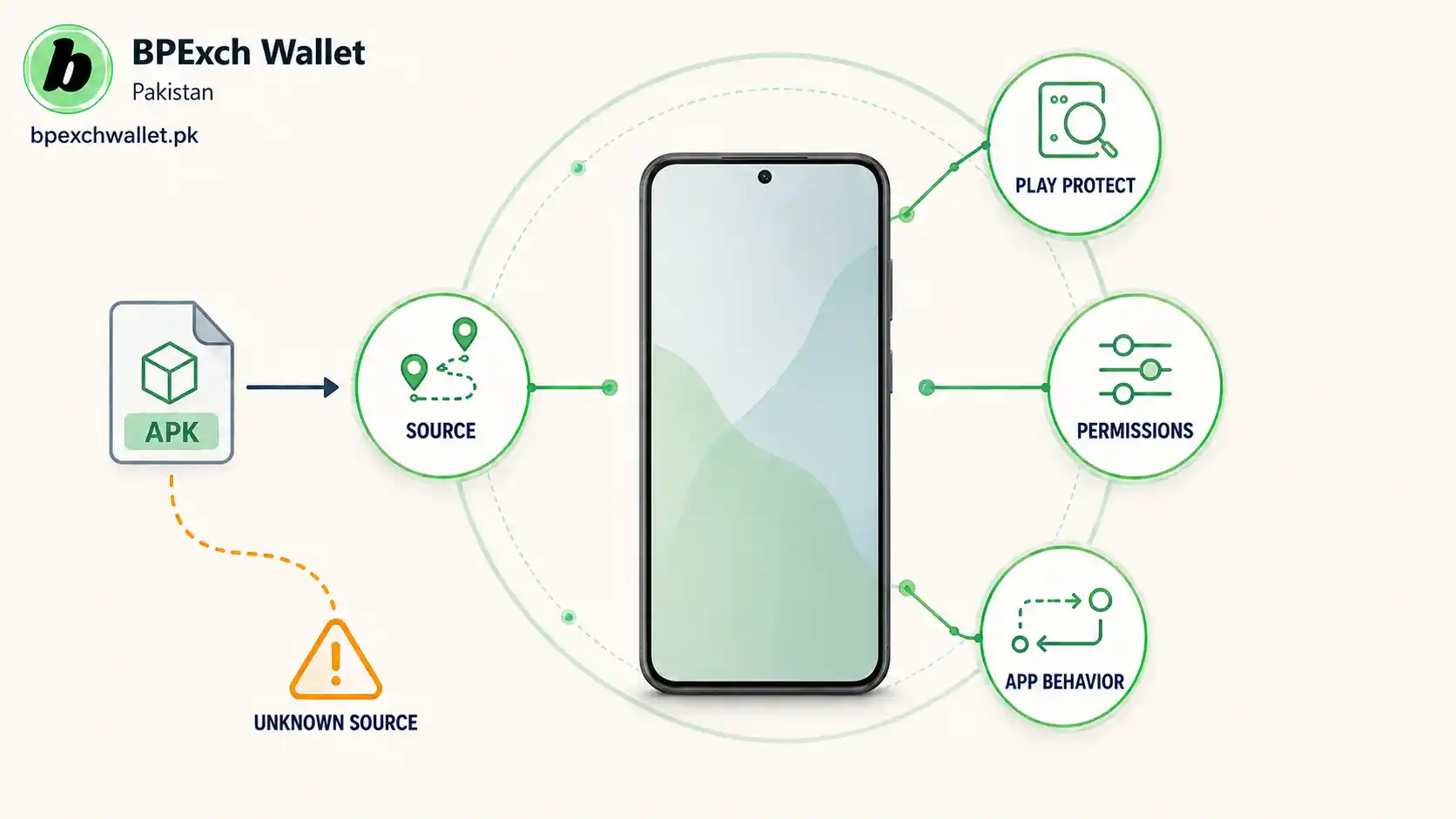
The best time to catch a suspicious app is before it is installed. Start with the source. If an APK arrives as an attachment in a random message, from an unknown group, through a shortened link, or from a site you do not recognize, do not treat the familiar filename as proof. Go back to the route you already trust and compare.
Google recommends keeping Play Protect enabled. On Android, Play Protect can scan apps from Google Play and other sources, warn about potentially harmful apps, and in some cases block or remove them. If Android produces a security warning, do not disable protections simply because a message tells you to do so. A legitimate support interaction should not require you to turn off device protections without a clear, verifiable reason.
Next, review permissions. A wallet-related app may need certain functions, but any permission request should still make sense for the task. A newly installed app asking for extensive accessibility control, contact access, SMS access, screen control, or other sensitive capabilities deserves extra scrutiny, especially if those permissions were not expected. Do not approve a permission just because installation is blocked until you do.
Finally, watch behavior after installation. Unexpected ads, unexplained background activity, unusual data use, repeated pop-ups, new redirects, or prompts to install another app can indicate a problem. Pakistan National CERT has specifically listed unusual data consumption, slow performance, and random pop-up ads among signs that can appear in compromised Android environments.
Verify a BPExch Wallet login link before entering credentials
A login page should be checked before you type anything. On mobile, tap or expand the address bar so you can read the full hostname. Do not rely only on the page title, favicon, or visible logo.
Start from a known route when possible. If you are trying to access your account, open the BPExch Wallet login guide or a page you have already verified rather than searching repeatedly and clicking whichever result appears first. The goal is not to memorize every URL variation. The goal is to reduce the number of unfamiliar handoffs between you and the login page.
Be cautious with links that use misspellings, extra words, odd subdomains, unusual endings, long tracking strings, or unrelated redirect domains. A link can begin with familiar text while the actual hostname belongs to someone else. On a phone, the important part can be hidden if you only glance at the first few characters.
Also check the context. Did you request this link? Did it arrive after you asked for help? Does the sender normally communicate through that channel? Is the message using urgency, threats, or a promise that sounds designed to make you act before checking? National CERT identifies urgency and deceptive hyperlinks as common phishing tactics. A demand to “verify now” or “login immediately” should make you more careful, not less.
Never use an OTP, PIN, password, or reset code as proof
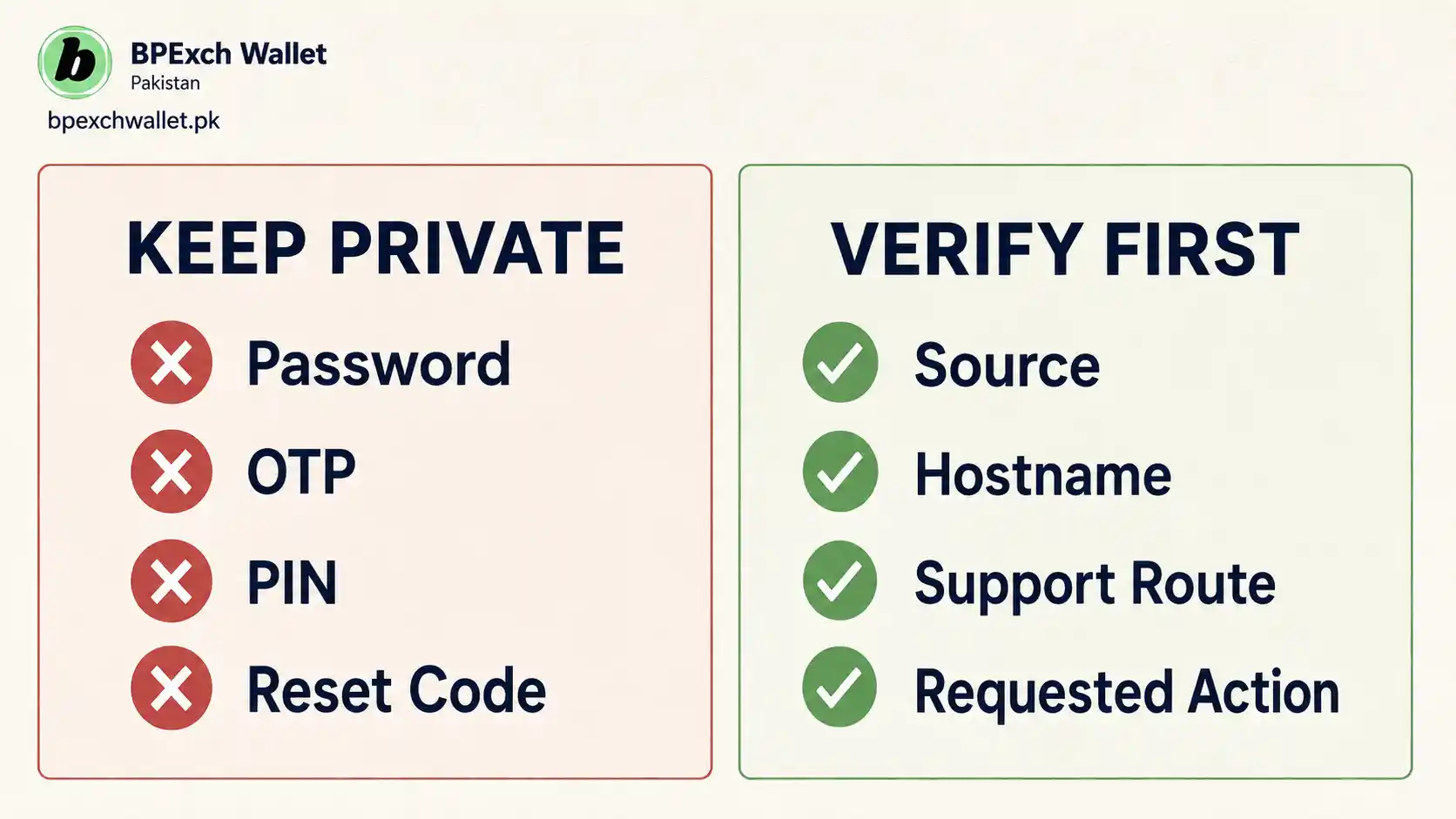
Credentials are not customer-service evidence. Your password authenticates access. An OTP or reset code can authorize an account action. A payment PIN can authorize money movement. Those items should not be sent to unknown contacts, pasted into chats, included in screenshots, or uploaded as “verification proof.”
If someone sends you a link and then asks you to share the code that appears on your phone, stop. The person may be attempting to complete an action using your credentials. Even when a legitimate service uses an OTP inside its own authentication flow, that does not mean a support person needs to receive the code from you in a separate message.
Screenshots can also leak more than expected. Before sending any image for legitimate support, review the full screen for account identifiers, notification previews, reset links, QR codes, phone numbers, or other private information. Crop only when necessary and do not edit transaction or security information in a way that misrepresents what happened.
Use a five-signal login-link test
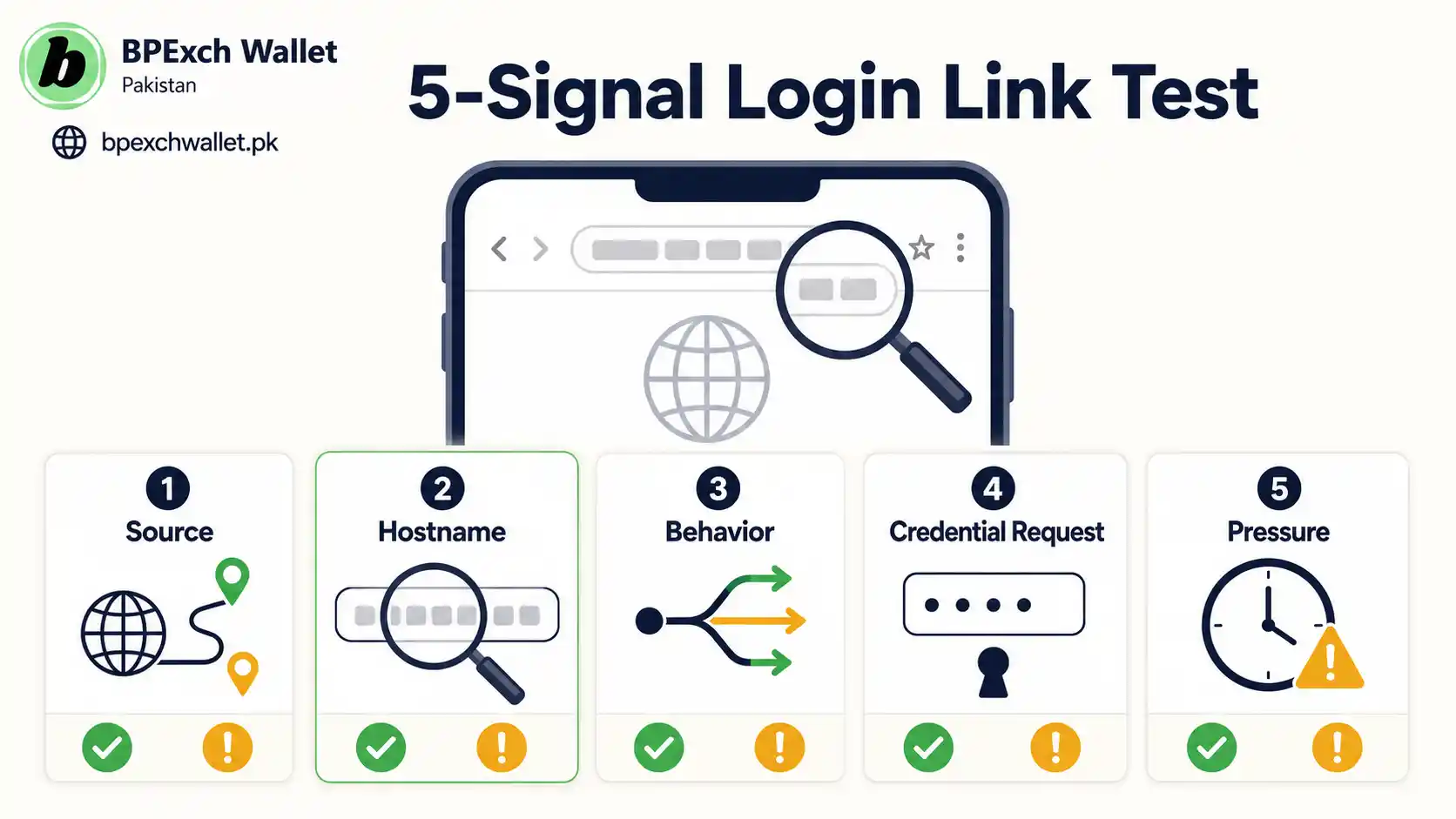
A practical safety check works better when it is simple enough to remember. Before entering credentials, look for five signals.
First is source: where did the link come from? A page reached through your normal route is easier to trust than an unsolicited message.
Second is hostname: what exact site is shown in the address bar? Read the full hostname rather than matching only a familiar word.
Third is behavior: does the page behave like the task you intended to complete? Unexpected downloads, redirects, permission requests, or pop-ups are warning signs.
Fourth is credential request: is the page asking for more than a normal login should require? Unexpected OTP, PIN, recovery-code, or payment information deserves a pause.
Fifth is pressure: are you being rushed? Phishing commonly uses urgency because careful users are harder to trick.
You do not need a technical certificate-analysis tool to apply this checklist. The purpose is to notice when several risk signals appear at the same time. If two or three feel wrong, stop and verify rather than pushing through.
Check shortened and redirected links more carefully
Short links can be useful, but they hide the final destination until you follow them. That makes them poor evidence of authenticity. If a support message contains a short link, do not assume the visible sender name validates the destination.
The same caution applies to redirect chains. A link can open one site and then move you to another. If the final hostname is unfamiliar, treat the final destination as the page you need to evaluate. Do not focus only on the first address you tapped.
Browser warnings also matter. If the browser warns about a certificate, unsafe page, deceptive site, or blocked download, do not bypass the warning merely because the page shows familiar branding. Security warnings are not perfect, but they are designed to interrupt risky flows.
Compare the task with the correct BPExch page
One of the easiest safety improvements is using the page that actually owns your task.
If you want general application information, go to the BPExch App guide.
If the problem is access to your account, use the BPExch Wallet login guide.
If you specifically need Android download or installation help, use the BPExch Wallet APK guide.
If your issue is a deposit request, use the BPExch Wallet deposit guide.
If your issue is a withdrawal request, use the BPExch Wallet withdrawal guide.
This routing approach reduces a common source of mistakes: trying to solve every problem through whatever link happens to be in front of you. The right page gives you a stable starting point and makes unexpected redirects easier to notice.
What to do when a page looks right but still feels wrong
A sophisticated phishing page can look polished. A malicious app can have a professional icon. So visual quality should never override a mismatch in behavior.
If the address looks unfamiliar, close the page and reopen the task from a known route. If the page asks for information you were not expecting, do not submit it until you understand why it is needed. If an APK requests permissions that do not fit the task, cancel and investigate. If a support contact pressures you to disable security settings or share private codes, stop the conversation.
You can also compare the issue with the BPExch Wallet contact page or the relevant guide before taking another action. The important point is that verification should happen outside the suspicious flow. Asking the same suspicious sender whether their link is safe does not independently verify anything.
Android Play Protect is a layer, not a guarantee
Google Play Protect is useful because it scans apps for harmful behavior and can warn about potentially harmful installations. Google says it is enabled by default and recommends leaving it on. It can also evaluate apps from outside Google Play and may request that unknown apps be submitted for additional analysis.
However, no automated scanner can replace judgment. New threats can appear before they are widely recognized. Social engineering can convince users to grant permissions that technically look voluntary. A fake login page can steal credentials without installing an app at all.
So think in layers: trusted route, readable hostname, Android warnings, sensible permissions, credential privacy, and support verification. Each layer reduces risk. Depending on only one layer creates a blind spot.
If you already entered credentials on a suspicious page
Act quickly but avoid panic-driven actions that create more risk.
First, stop using the suspicious page. Do not keep entering information to “finish” the process. Open your normal account-access route separately.
If you exposed a password, change it through the correct recovery or account route if that option is available to you. Do not use a reset link sent by the suspicious contact. If the same password was reused on other services, change it there too, starting with email or other accounts that can be used for recovery.
If you shared an OTP, reset code, or PIN, treat the situation as more urgent because those codes can authorize actions. Review the account status through the normal route and contact support through the site’s current support page if necessary.
If you installed a suspicious Android app, Google recommends turning on Play Protect, checking security updates, and removing unsafe software. Review installed apps and permissions, uninstall the suspicious app if appropriate, and monitor for unusual behavior.
If an APK installed another app or shows unexpected pop-ups
A second-stage install, repeated pop-up, unexpected accessibility request, or unexplained background behavior deserves immediate attention. National CERT’s Android advisories describe campaigns in which a seemingly harmless app can deliver additional payloads. Again, that is general threat intelligence, not a claim about BPExch Wallet.
Disconnecting from the suspicious flow is the first step. Then review Android’s installed apps list, Play Protect status, and sensitive permissions. If you are not confident about what was installed, get help from a qualified device-support professional rather than continuing to approve prompts.
Do not factory-reset a phone as your first reaction unless you understand the consequences and have a proper backup plan. A reset can remove local data. Start with the least destructive verified actions: uninstall the suspicious app, revoke unusual permissions, update the device, scan with built-in protections, and secure exposed accounts.
Safer habits for Pakistan users who receive support links in chat
Many users manage services through mobile messaging, so the practical answer is not “never click a link.” The better rule is: never let the message itself be the only reason you trust the link.
Before acting, compare the message with the route you already use. Avoid unknown group links, forwarded APK attachments, screenshots of payment or login pages, and messages that ask you to copy private codes back into chat.
Save or bookmark a known starting page after you have verified it. That reduces dependence on future search results or forwarded messages. When a new link appears, you can compare it with your saved route instead of deciding from memory.
For high-risk actions, separate discovery from authentication. You might read a message first, but open your known login route independently rather than authenticating through the message link.
Trade-offs
Security checks add friction. Reading a full hostname, opening a known page separately, reviewing permissions, or waiting before installing an APK takes longer than tapping the first link you receive. That extra time can feel inconvenient, especially when you are trying to solve an account problem quickly.
The alternative is greater uncertainty. A rushed user can accidentally enter credentials on a copied page, install an app from an unknown source, or share a code that should remain private. In practice, a two-minute verification step is usually cheaper than recovering from a compromised account or device.
There is also a balance between convenience and strict blocking. Android allows apps from sources outside Google Play, and some legitimate services distribute software outside the Play Store. That does not make every sideloaded APK unsafe, but it does mean source verification and Play Protect warnings matter more. Treat sideloading as a higher-verification activity, not an automatic sign of fraud and not an automatic sign of legitimacy.
Another trade-off is that external security guidance is general. Google and Pakistan National CERT can explain phishing, malware, app permissions, and device protection, but those sources do not verify BPExch-specific product behavior. This article therefore uses them only for general safety principles. Platform-specific routes are kept to the pages already published on this site, and unverified claims about app versions, support hours, licensing, processing times, or “official” status are intentionally avoided.
Next Steps
Use this sequence whenever a BPExch-related app or link feels uncertain.
- Stop before entering credentials or installing a file.
- Read the full hostname or identify the actual source of the APK.
- Compare the task with the correct BPExch guide on this site.
- Keep Play Protect and normal Android security protections enabled.
- Review permissions before approving them.
- Never share a password, OTP, PIN, or reset code with an unknown contact.
- If you already exposed credentials, secure the account through the normal route.
- If you installed something suspicious, review Play Protect, apps, permissions, and updates.
- Use the BPExch Wallet contact page when you need clarification outside the suspicious flow.
For most users, the biggest improvement is not learning advanced cybersecurity. It is building a repeatable pause-and-verify habit. A familiar logo should trigger recognition, not automatic trust. A link should be judged by its destination and context. An APK should be judged by its source, Android warnings, permissions, and behavior.
One final habit helps more than memorizing technical warnings: keep a list of routes you have already checked and use them as your starting points. If a new message, ad, search result, or download sends you somewhere different, compare first instead of assuming the change is normal. This works especially well on mobile, where long addresses are easy to miss. Verification is strongest when you create a trusted path, preserve protections, and treat any unexpected request for credentials, permissions, or urgency as a reason to stop and check again.
FAQs
Q: How can I tell if a BPExch Wallet login link is fake?
Check the full hostname, how you received the link, whether it redirects, what information it asks for, and whether the message pressures you to act. If the route is unfamiliar, open your normal BPExch login guide independently instead of entering credentials through the questionable link.
Q: Is every APK outside Google Play unsafe?
No. Android supports installation from other sources, but Google warns that unknown-source apps can put devices and personal information at risk. Keep Play Protect enabled, verify the source, review permissions, and stop if Android or the app shows unexpected warnings or behavior.
Q: What should I do if I already shared an OTP or password?
Stop using the suspicious page or chat. Open your normal account route separately, change exposed credentials where possible, review account status, and contact support through the site’s current contact route. If the same password was reused elsewhere, change it on those services as well.
References
This guide uses platform-neutral security guidance for phishing and Android app safety. Google Play Help explains how Play Protect checks apps for harmful behavior, including apps from other sources. Android Help warns that apps from unknown sources can put device data and personal information at risk. Pakistan National CERT has published advisories on deceptive phishing links and “evil twin” Android apps, and its public awareness program covers phishing and smartphone security.
Conclusion
If you are checking a BPExch Wallet fake app or suspicious login link, do not rush. Use a known starting page, read the destination carefully, keep Android protections enabled, and keep passwords, OTPs, PINs, and reset codes private. For normal app access, use the BPExch App guide. For account access, use the BPExch Wallet login guide. For Android installation questions, use the APK download guide. If the issue still does not make sense, move outside the suspicious flow and use the current contact page for clarification.