BPExch Wallet Sign Up Pakistan — How to Create Your Account
BPExch Wallet Sign Up Pakistan — How to Create Your Account
BPExch Wallet sign up is the first step to accessing Pakistan’s secure wallet portal for deposit requests, withdrawal requests, and BetPro ID support. This guide explains exactly how to complete the registration process, what details you need, and how to start using your account right away.
Whether you are a new user creating a fresh account or someone looking to complete the sign up online from your mobile, this step-by-step guide covers everything. Furthermore, you will find answers about the BPExch Wallet app, withdrawal access after registration, and how to get support when you need it.
[bpexch_cta]
Quick Facts — BPExch Wallet Sign Up
| Detail | Information |
|---|---|
| Portal name | BPExch Wallet |
| Sign up page | https://bpexchwallet.pk/register |
| Available in | Pakistan — all cities |
| Device support | Android app (APK) + any browser on iOS or desktop |
| Details required | Full name, phone number, email address, password |
| Minimum deposit after sign up | PKR 500 |
| Minimum withdrawal after sign up | PKR 500 |
| Support | Contact Support |
What Is BPExch Wallet?
BPExch Wallet is a secure online portal for Pakistan users. It helps you manage deposit requests, submit withdrawal requests, access BetPro ID support, and track your account activity from one dashboard. In addition, it provides a mobile app for Android users who prefer faster access on their phones.
Therefore, before you can use any of these features, you need to complete the BPExch Wallet registration. The process is simple and takes only a few minutes online.
For a full overview of the portal, read the main guide: BPExch Wallet Pakistan Guide.
How to Complete BPExch Wallet Sign Up Online
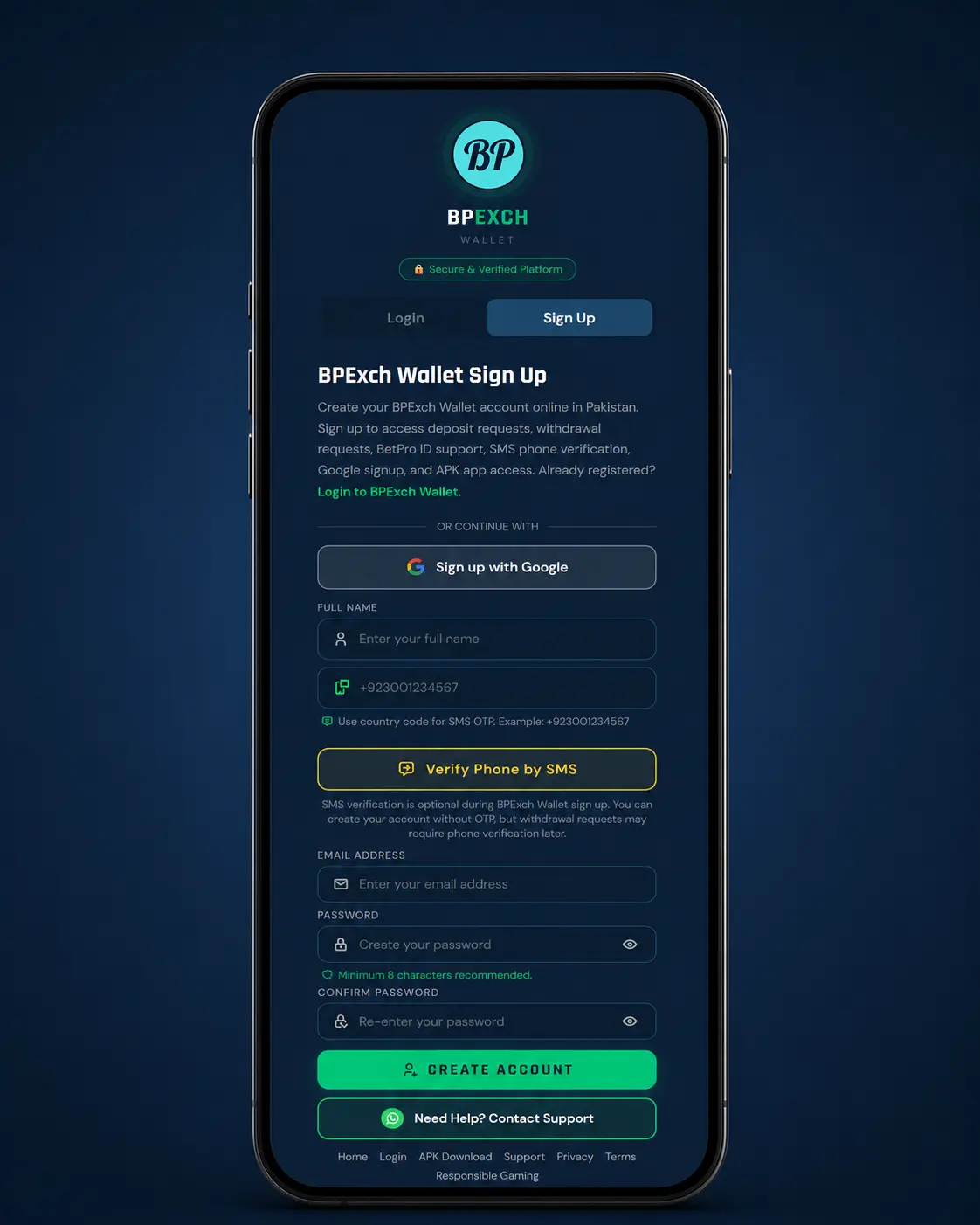
The BPExch Wallet sign up online process is straightforward. You only need a phone number, email address, and a few personal details. After that, your account is ready to use.
Follow these steps to register your account:
- Open the official registration page at https://bpexchwallet.pk/register on your phone or browser.
- Enter your full name as it appears on your ID. This is important for withdrawal verification later.
- Add your active Pakistan mobile number. Use your own number because SMS verification may be required.
- Enter a valid email address. This is used for account notifications and support communication.
- Create a strong password. Use a mix of letters and numbers. Do not share your password with anyone.
- Complete SMS phone verification if the option appears on the page.
- Submit the registration form and wait for your account confirmation.
Once your account is confirmed, you can log in from the same device or any browser. After that, you can access all dashboard features including deposit requests and BPExch Wallet withdrawal.
⚠️ Important: Always use your own accurate details during sign up. Wrong details can cause delays in withdrawal approval and BetPro ID support.
BPExch Wallet Sign Up Pakistan — What You Need to Know
BPExch Wallet sign up Pakistan is available for users across all cities in Pakistan. The portal supports JazzCash, Easypaisa, SadaPay, NayaPay, and bank transfer as payment methods. However, specific payment method availability can depend on your account status after registration.
For Pakistan users, the mobile experience is especially important. Therefore, the portal works on both the BPExch Wallet app for Android and on any mobile browser. If you are using an iPhone, simply open https://bpexchwallet.pk/register in Safari or Chrome and complete the sign up from there.
Which Details Are Required for BPExch Wallet Registration?
- Full name — used for account identification and withdrawal verification
- Pakistan phone number — for SMS verification and account recovery
- Email address — for login, notifications, and support contact
- Password — minimum 8 characters recommended for account security
After completing registration, you can download the BPExch Wallet app for faster mobile access. Visit the official download page: BPExch Wallet APK Download.
What Happens After BPExch Wallet Sign Up?
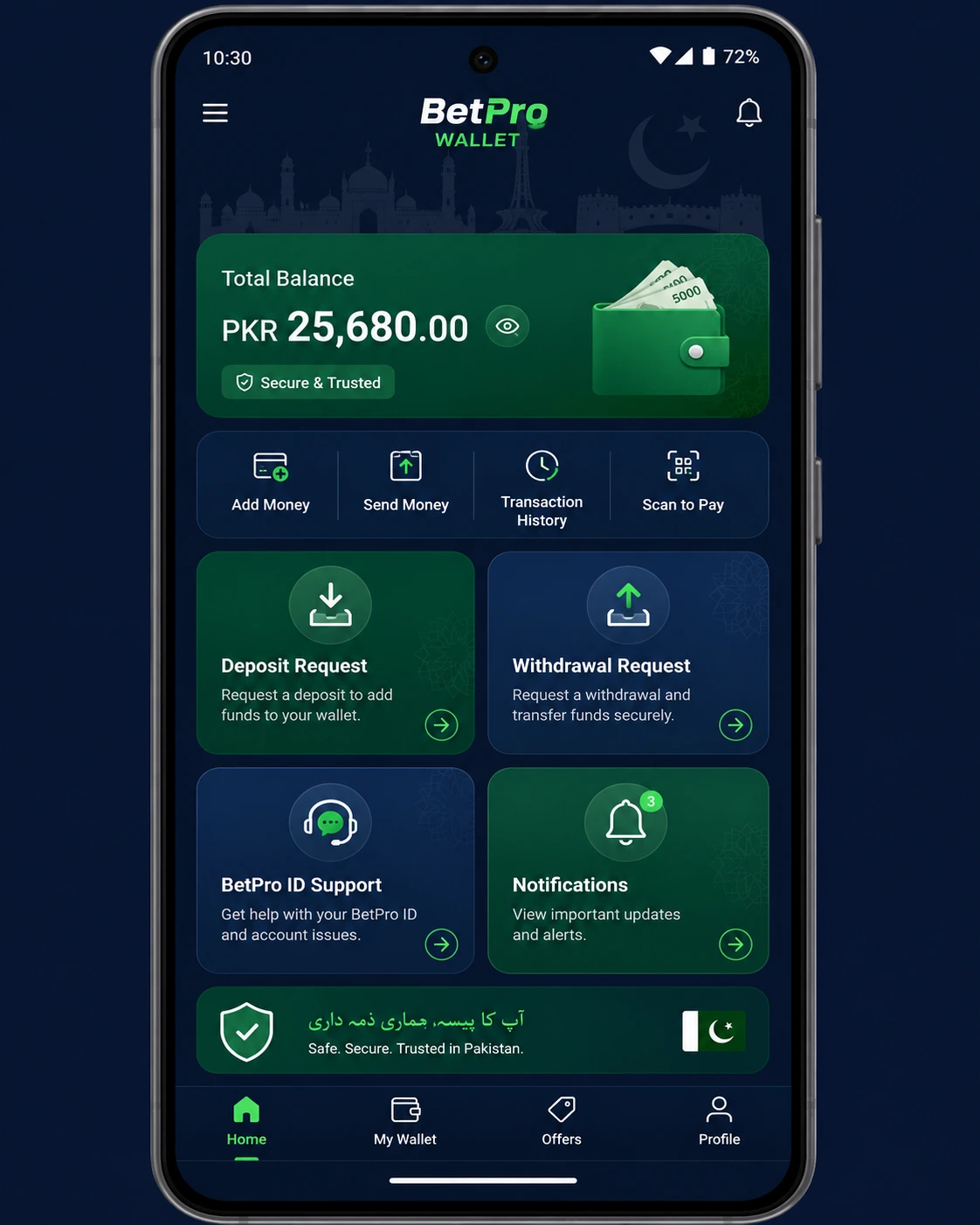
Once you complete the BPExch Wallet registration, your account dashboard becomes available. From there, you can manage all your wallet actions without contacting support manually for every request.
Deposit Requests
After sign up, you can submit a deposit request from your dashboard. Choose a payment method, enter the amount, upload payment proof, and submit. The minimum deposit amount is PKR 500. Furthermore, your status updates are visible in the dashboard after the request is reviewed.
BPExch Wallet Withdrawal
BPExch Wallet withdrawal becomes available after your first deposit is approved. To withdraw, log in to your account, open the withdrawal section, enter your amount and payout details, and submit. The minimum withdrawal amount is also PKR 500. After that, you can track the status directly from your account.
For a full guide on the withdrawal process, visit: BPExch Wallet Withdrawal Guide.
BetPro ID Support
After your first approved deposit, your BetPro ID can be assigned through the wallet portal. You can also request a password reset from your dashboard if needed. Therefore, keeping your registered phone number and email address active is important.
BPExch Wallet App — Mobile Access After Sign Up
The BPExch Wallet app is an Android APK that gives you faster access to your wallet dashboard. Instead of opening a browser each time, you can open the app directly and manage your requests from your phone.
After completing sign up, download the APK from the official page. The current version is 1.0 and the file size is 8.54 MB. It is compatible with Android 5.0 and above.
How to Download the BPExch Wallet App
- Visit the official APK page: https://bpexchwallet.pk/bpexch-wallet-download-apk
- Click the download button and save the APK file to your phone.
- Open your phone settings and allow installation from browser or file manager if prompted.
- Open the downloaded APK file and complete installation.
Open the app and log in with your registered BPExch Wallet account details.
⚠️ Only download the BPExch Wallet app from the official website. Do not install APK files from unknown groups or third-party sources.
iOS users cannot install the APK. However, they can access BPExch Wallet in full from any browser at bpexchwallet.pk.
Common Sign Up Issues and How to Fix Them
Although the BPExch Wallet sign up process is simple, some users face minor issues. Here are the most common problems and their solutions.
Phone Number Already Registered
If the system shows that your phone number is already registered, it means an account exists with that number. In this case, use the login page instead of the sign up page. If you do not remember your password, use the reset option or contact support.
SMS Verification Not Received
First, check that you entered the correct phone number. Also, make sure your phone has network signal. If the SMS does not arrive within two minutes, request it again. If the issue continues, contact BPExch Wallet support through WhatsApp.
Page Not Loading During Registration
Check your internet connection and try refreshing the page. Also, try a different browser. If you are using the BPExch Wallet app, make sure it is the latest version. For persistent issues, clear your browser cache and try again.
Sign Up Form Showing Errors
Ensure all required fields are filled correctly. The email address must be in valid format. The password must meet minimum length requirements. After correcting the fields, submit the form again.
If you cannot resolve the issue yourself, contact support directly: BPExch Wallet Support.
[bpexch_cta_login]
Safe Sign Up Practices for BPExch Wallet Pakistan
When completing your BPExch Wallet sign up, it is important to follow safe account practices from the start. These habits protect your account and ensure smooth access to all features.
- Use only the official sign up page at https://bpexchwallet.pk/register
- Never share your password, OTP, or login details with anyone
- Use your own active phone number — not a borrowed or temporary number
- Use a strong password with letters and numbers
- Only download the BPExch Wallet app from the official APK page
- Log out of your account when using a shared or public device
For safe and responsible use of the wallet portal, please read our guidelines: Responsible Gaming — BPExch Wallet.
| Page | URL |
|---|---|
| Create Account | https://bpexchwallet.pk/register |
| Login to Dashboard | https://bpexchwallet.pk/login |
| Download BPExch Wallet APK | https://bpexchwallet.pk/bpexch-wallet-download-apk |
| BPExch Wallet Full Guide | https://bpexchwallet.pk/blog/bpexch-wallet/ |
| Contact & Support | https://bpexchwallet.pk/contact-us |
| Responsible Gaming | https://bpexchwallet.pk/responsible-gaming |
| WhatsApp Support | https://sportsids.com/WalletApp |
| About BPExch Wallet | https://bpexchwallet.pk/about-us |
Frequently Asked Questions — BPExch Wallet Sign Up
- How do I complete BPExch Wallet sign up in Pakistan?
Open https://bpexchwallet.pk/register, enter your name, phone number, email, and password, complete SMS verification if prompted, and submit the form. Your account is then ready to use.
- Is BPExch Wallet sign up online available for all Pakistan cities?
Yes. BPExch Wallet sign up online is available for users across all cities in Pakistan. You only need an internet connection and a valid phone number to register.
- What details are required for BPExch Wallet registration?
BPExch Wallet registration requires your full name, an active Pakistan phone number, a valid email address, and a password. Accurate details are important for withdrawal verification later.
- Can I sign up using the BPExch Wallet app?
Yes. You can sign up through the BPExch Wallet app on Android or through any browser on your phone or desktop. The registration process is the same on all platforms.
- How long does BPExch Wallet sign up take?
The sign up process usually takes two to five minutes. After submitting the form and completing verification, your account access is confirmed.
- What is the minimum deposit amount after BPExch Wallet sign up?
The minimum deposit amount is PKR 500. After your first deposit is approved, you can also access BetPro ID support and BPExch Wallet withdrawal features.
- Can I complete BPExch Wallet sign up on iPhone?
The BPExch Wallet APK is for Android only. However, iPhone users can complete sign up through any browser such as Safari or Chrome at https://bpexchwallet.pk/register.
- What should I do if my BPExch Wallet sign up fails?
Check that all fields are filled correctly, your phone number is active, and your internet connection is stable. If the problem continues, contact BPExch Wallet support through the official WhatsApp link at https://sportsids.com/WalletApp.
- Is BPExch Wallet withdrawal available right after sign up?
BPExch Wallet withdrawal becomes available after your first approved deposit. The minimum withdrawal amount is PKR 500. You can track withdrawal status from your dashboard.
- Is BPExch Wallet sign up free?
Yes. Creating a BPExch Wallet account is free. There is no registration fee. You only need a minimum of PKR 500 to submit your first deposit request after sign up.
- Where can I get help with BPExch Wallet sign up pakistan?
You can contact the official support team through WhatsApp at https://sportsids.com/WalletApp or visit the contact page at https://bpexchwallet.pk/contact-us for help with sign up, login, or any account issue.
- What happens after I complete BPExch Wallet registration?
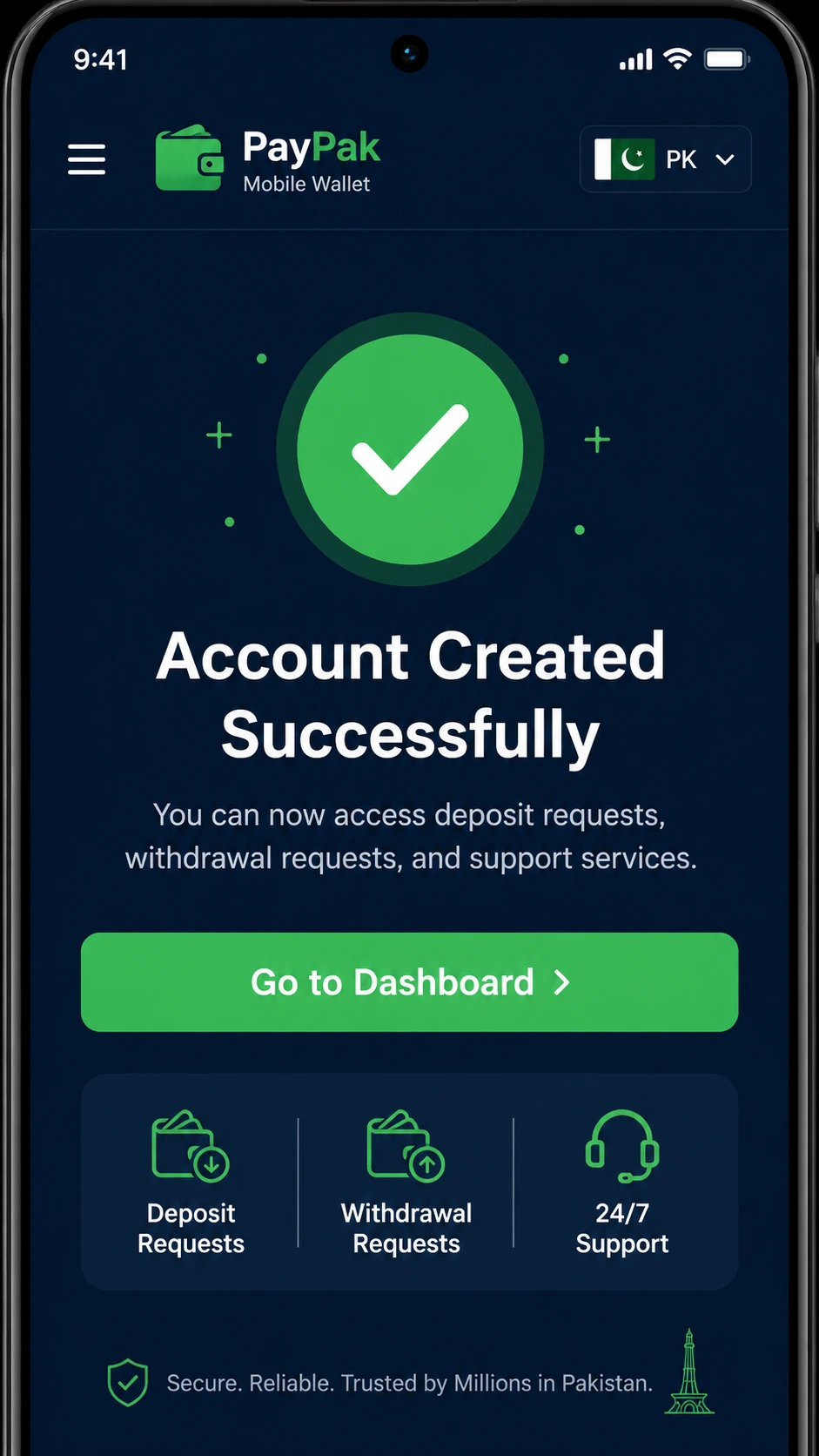
After registration, your dashboard is ready. You can submit deposit requests, request withdrawals after first approval, access BetPro ID support, and download the Android app for faster mobile access.
Conclusion
BPExch Wallet sign up is a quick and straightforward process for Pakistan users. Simply open the registration page, enter your details, verify your phone, and your account is ready. After that, you can submit deposit requests, manage BPExch Wallet withdrawal, get BetPro ID support, and download the app for Android.
Furthermore, the portal is available on both mobile and desktop browsers, so all Pakistan users can access it regardless of their device. For the best experience on Android, download the official BPExch Wallet app from the APK download page.
Create your account now and start using all wallet features: BPExch Wallet Login | Download APK | WhatsApp Support